
File an amended return
If you need to file an amended return, you may request that TaxJar file your amended return for you.
To begin the process, send a request by email to support@taxjar.com including the following information:
- Reason for the amended return(s)
- The state name(s) and specific filing period(s) you would like TaxJar to amend
Note: TaxJar can only amend returns that we have filed. However, if we did not file the return, please let us know and we'll review on a case-by-case basis. Once your request has been received, a member of our team will send over the next steps.
Before an amendment can be processed, you'll need to export a backup of your line item data for the affected period. This ensures you have a copy of the original filing data, as once changes are made, the original data is permanently altered in our system.
Steps to export your transactions:
- From your Stripe Tax Dashboard, click on the TaxJar app at the top right of the screen. This will open the TaxJar side panel.
- Navigate to the Enrollments tab and find the applicable state you wish to file the amended return.
- Select Manage enrollment on TaxJar to complete the amended return process in TaxJar.
- Go to the Filings tab, select the state that requires an amended return, and click Review report on TaxJar — a new window will open with your report.
- Click View Transactions within the Filing Report.
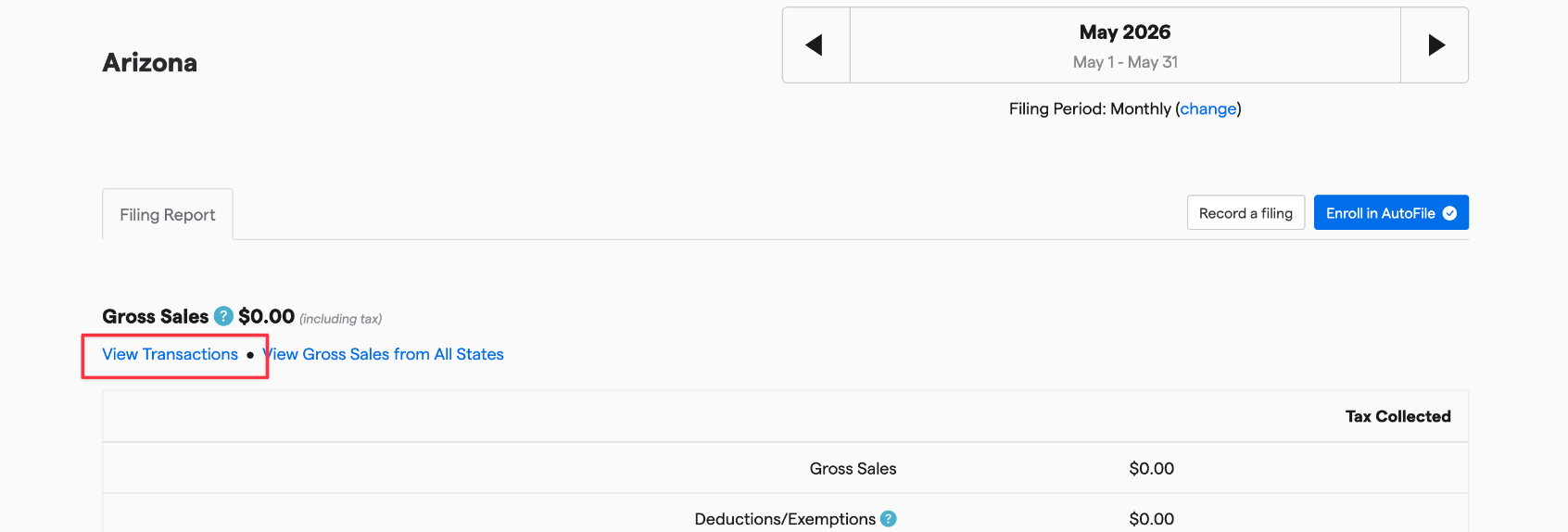
- Filter for the date range and state if needed.
- Click Actions, then select Export Line Items to CSV.
Once the export has been processed (this can take some time), you'll receive an email at the address associated with your TaxJar account with a download link. Please note: the link will expire 24 hours after it is sent.
We recommend storing this file somewhere safe in case you need it in the future.